Lazy Skills
Mission control for agent skills.
A terminal UI for managing AI agent skills. Bring project, global, universal, and agent-specific skills into a single viewport. Identify broken installations, verify agent access, and test commands safely.
"I don't debug broken skills by hand - I have a TUI to be disappointed for me."
Features built for developers
No fluff. Just the essential diagnostic visibility your terminal agents need.
Consolidated Registry
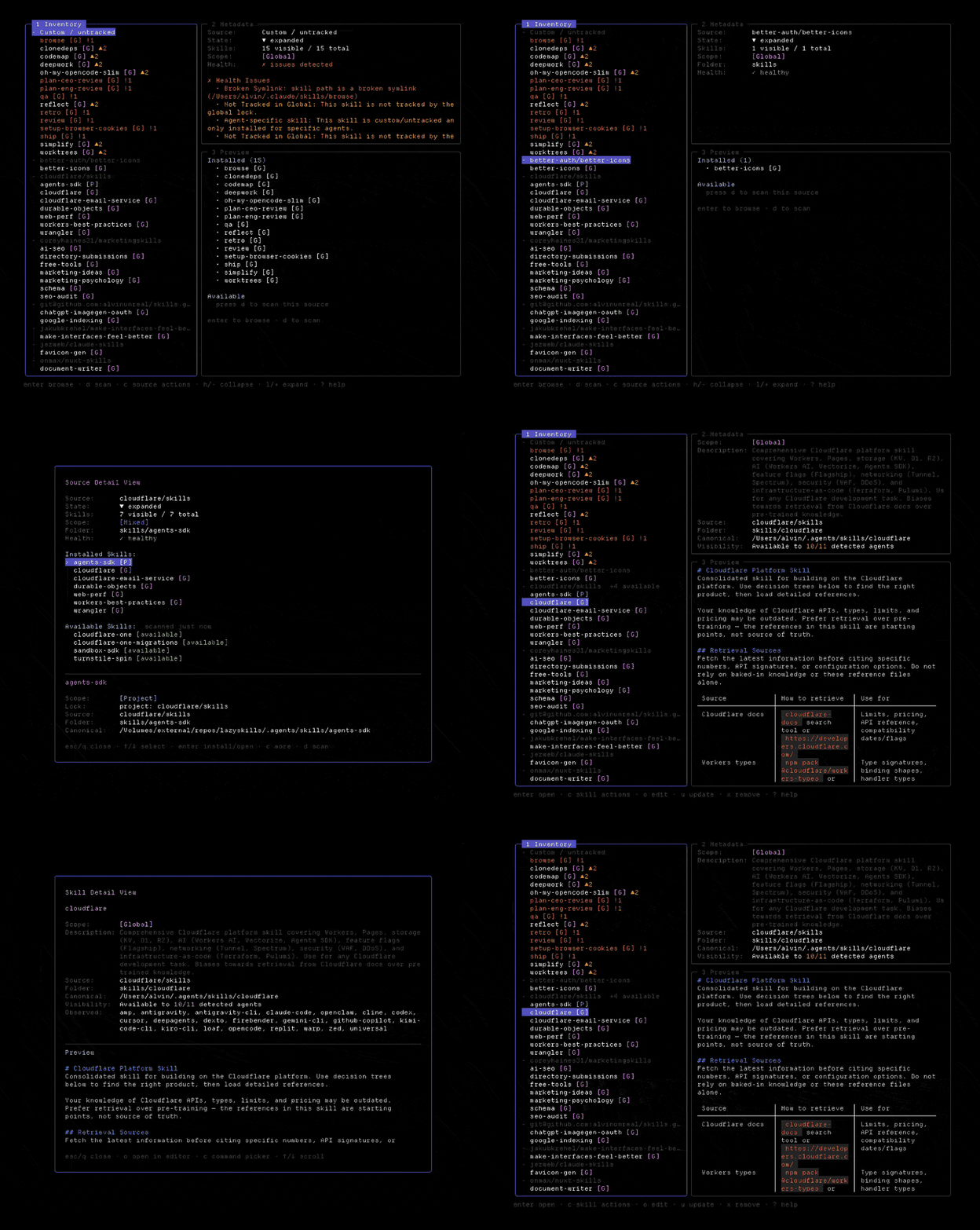
View every skill in your development environment inside a single, unified menu. Groups and lists project-local, global, universal, and agent-scoped installations automatically.
Cross-Agent Visibility
Ensure your agents can actually access your custom skills. Quickly filter by target agent—including Claude Code, Cursor, OpenCode, Codex, and Gemini CLI—to verify exactly what they see.
Instant Diagnostic Checks
Identify broken setups instantly. Highlights validation errors like missing SKILL.md instructions, dead symlinks, orphaned locks, or ghost configurations.
Safe Commands & Previews
Preview actions before execution. Inspect parsed skill metadata, review formatted instructions, and execute updates, installs, or removals safely. Destructive actions require explicit confirmation.
Discover Remote Sources
Find new skills easily. Scan local paths or GitHub repositories to discover available skills you haven't installed yet, then bring them into your environment directly from the interface.
Keyboard Controls
Quick-access keys for navigating the terminal interface

Stargazer Giveaway
Want some LazySkills stickers? Star the repo on GitHub to be entered into a draw to win. We ship them worldwide at no cost to you.